
Container labels
What is in a shulker box, chest or barrel, shown on the container itself.
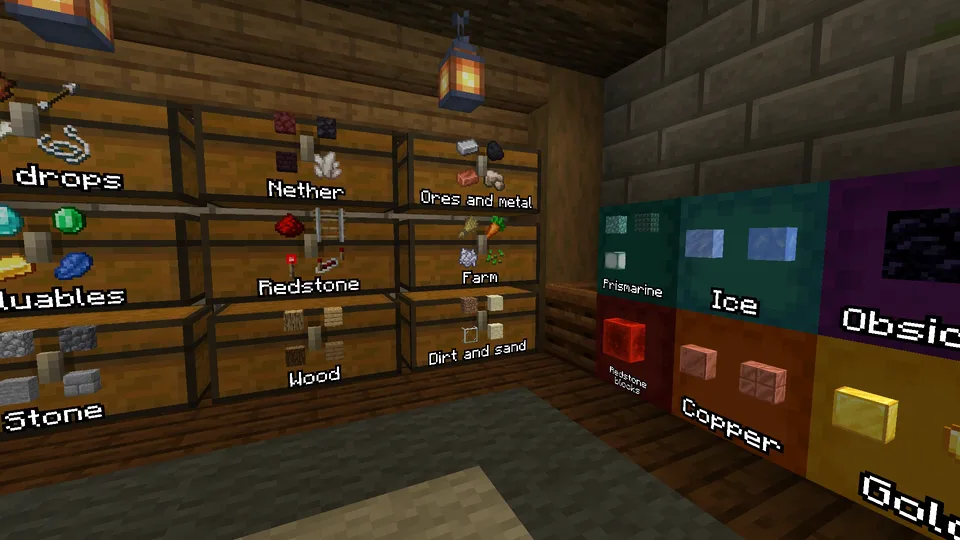
Give a container a name #
A label shows the name you give a container, like "Valuables" or "Redstone". Sorted has no naming screen of its own: you name a container the way Minecraft does, in an anvil.
- Put the chest, barrel or shulker box in an anvil, as an item.
- Type the name in the box at the top and take it out. This costs one level of experience.
- Place it. The name is on its label.
- Chests and barrels: turn on Chests and Barrels under Labels on, in the In the world tab of the settings. Only shulker boxes have labels until you do.
- A container that is already placed can not be renamed where it stands. Empty it, break it, rename it in an anvil and place it again. A shulker box keeps what is in it when you break it, so there you can skip emptying it.
- For a large chest, naming one of its two halves is enough.
- On a server, the name shows after you have opened the container once.
- Only the name, no items? Pick Just the name under What labels show in the Presets tab.
- Default names such as Chest or Barrel are never shown.
On placed containers #
Placed shulker boxes show the most common items in them on top, and the name you gave them in an anvil. Default names such as Chest or Barrel are never shown. Chests and barrels can do the same: turn on Chests and Barrels in the In the world tab of the settings, under Labels on.
- The label lies on the side the lid opens from, so a shulker box on a wall or a ceiling reads right too.
- On top of a container, the label turns to face you.
- A chest in a wall can show its label on the side you are standing at.
- An item frame on a container is your own label, so Sorted shows nothing there.
- Labels are hidden behind walls, and behind a sign or banner on the container.
In singleplayer the contents are read live. On a server they come from Sorted's Chest memory, so a container shows its contents after you have opened it once.
On shulker box items #
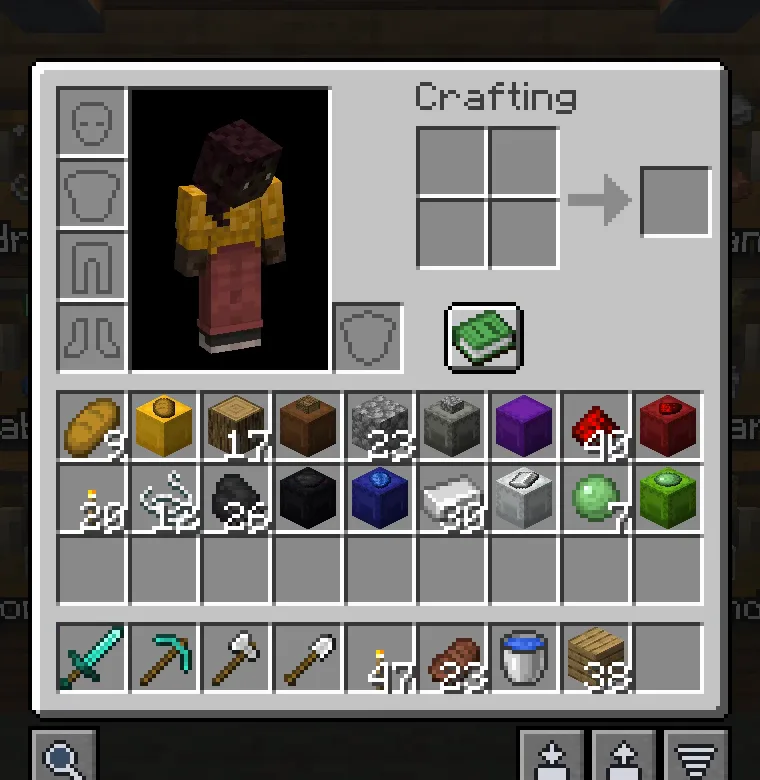
A shulker box as an item shows its main item on the lid: in your inventory, on the hotbar, in chests and when it is dropped. Turn it off with Contents on shulker items.
Settings #
The top of the In the world tab shows a chest, a barrel and a shulker box with labels as your settings draw them (in 3D on 1.21.6 and newer), and the Presets tab has three looks under What labels show: Just the name, A quick look (up to four items and the name, as Sorted starts) and Everything (up to nine).
- Labels on default Shulker boxes
- Chests (and trapped chests), Barrels and Shulker boxes, each on or off.
- Show default Items + name
- Items, the name, both, or items with the name only when empty.
- Items shown default 4
- How many items, the most common first, up to 9.
- Range default 16 blocks
- How far away labels show, up to 32.
The rest are on the Settings page.
Next, you may want to
Something missing or wrong on this page? Say so on Discord.