
Quick Stack
Put the items you carry away in the chests that already hold them, in one click.
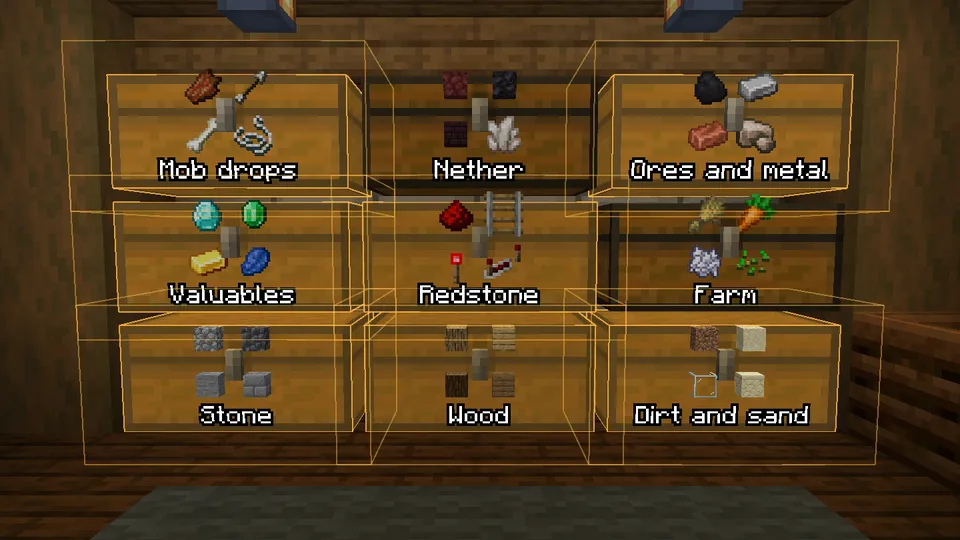
Into the chests around you #
Open your inventory near your chests and click Quick Stack. Every stack goes to a chest within reach that already holds that item, or the same material. The chests that took something light up for 3 seconds.
- Chests, large chests, barrels, shulker boxes and ender chests count, and containers from other mods once you have opened one of that kind. See Containers from other mods.
- Only your main inventory is moved. The hotbar stays.
- Kept items never leave. See The keep list.
Which chest gets what #
- A chest that holds the item itself, or the same material: raw iron goes where your iron is.
- It has to hold a fair amount of it. One stray piece in a chest full of other things does not count.
- The chest where the item makes up most of the contents goes first. When it is full, the rest goes to the next chest that holds it.
- An item no chest holds stays with you.
Put everything away #
Shift+Click Quick Stack to also put away the items that have no chest yet. Each goes to the chest that fits it best: one with similar things, a mixed chest rather than one with a single kind of item, or an empty one.
One stack at a time #
Pick up a stack and click Quick Stack: only that stack is put away. Shift+Click sends every stack of that item, hotbar included. When no chest has room for it, the action bar says so.
Into the open chest #
With a chest open, Quick Stack moves only the items that chest already holds into it.
While it runs #
Quick Stack, Quick Fill and emptying into the chests around you show their progress in a small card with a bar, which you can move, resize or hide in the HUD tab of the settings, under Nearby transfer. Reset all panels in the same tab puts it back where it started. Hidden, the progress is the line above the hotbar. On a server it also says when the server is slow to open chests.
On a server #
A server only tells your game what is in a chest when you open it. Quick Stack opens the chests within reach that it has no recent record of, reads them and closes them. You hear the lids, and you do not see the screens. Chests it already knows are only opened to put something in.
To have Quick Stack open and read every chest in reach first, every time, turn on Open every chest before stacking. That helps when other players use the same chests, but every lid opens on every Quick Stack.
On a server, a container has to be in your line of sight, and a chest with a solid block on top is skipped because it cannot open.
On a server, Sorted moves items with the same clicks you would make by hand, at a limited speed. Some servers do not allow inventory mods. Check the rules. See Servers.
- Highlight used containers default On
- Light up the chests that took something, for 3 seconds.
- Open every chest before stacking default Off
- On a server, read every chest in reach before stacking, not only the ones Sorted has no recent record of.
- Skip ender chests default Off
- Leave ender chests out.
- Protect all tools default Off
- Never send tools and weapons to a chest, fishing rods, shears and brushes included.
- Protect enchanted items default Off
- Never send anything enchanted to a chest.
- Protect named items default Off
- Never send anything you renamed in an anvil to a chest.
Next, you may want to
Something missing or wrong on this page? Say so on Discord.