
Easy place
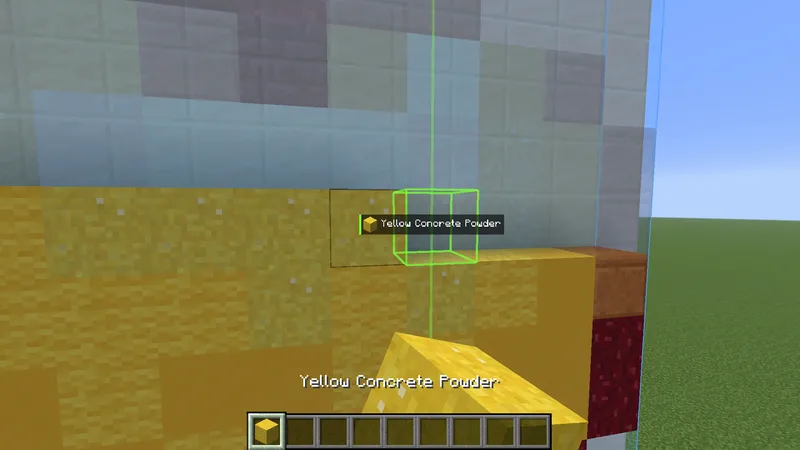
Right-click the ghost and the right block goes down, facing the right way.
You still click every block yourself, but easy place makes placing much easier than by hand. Many servers count that as cheating. Check the rules of the server before you use it. It is off by default.
Use it #
- Press N to turn easy place on.
- Right-click on or near the ghost. The block for that spot is placed.
- Hold right-click and move the crosshair to keep placing.
 On the status panelThis icon shows while easy place is on. See Status panel.
- In survival you need the block. If it is in your inventory but not in your hotbar, it is moved to your hand.
- Middle-click a ghost block to pick it.
- A block that is already right is not changed by a click.
- Doors, trapdoors, gates, levers and buttons of the build still open or flip with a click.
- Chests and other containers in the way are not opened.
Pressing N shows Easy place ON or Easy place OFF above the hotbar. The same switch is Easy place in the Building tab of the settings, where the other settings on this page are too.
Item frames, paintings and armor stands #
Easy place also places the entities of a build: item frames with their item, paintings, armor stands and cushions. Hold the item and click where the ghost is. A frame with the wrong item, or turned wrong, is put right a click at a time. In survival the game picks a random painting that fits. If it is the wrong one, click it to take it down and try again.
Direction and state #
To place stairs, logs or a furnace the right way, easy place turns your view for a moment and turns it back. That is Auto-rotate. After placing, it clicks the block into the right state:
- Repeater delay and comparator mode
- Number of candles, sea pickles and snow layers
- Double slabs
- Levers, and doors, trapdoors and fence gates that should be open
- Sign text, with color and glow
Tools #
Some blocks cannot be placed as they are. Easy place uses a tool you carry to make them.
| Tool | Used for |
|---|---|
| Shovel | Dirt paths, and putting out a campfire |
| Flint and steel | Lighting candles and campfires, and lighting a nether portal |
| Axe | Stripping logs when you only carry the plain log |
| Hoe | Farmland |
| Bone meal | Tall grass, large ferns and tall seagrass |
| Water bucket | Waterlogged blocks. Experimental and off by default |
Crops are planted from their seeds. Easy place does not grow crops or saplings further. Where the build's own cover would turn grass to dirt anyway, it uses dirt, so your real grass stays for the spots that keep it.
Blocks that need support #
A torch needs its wall and a rail needs its floor. With Build prerequisites first on, clicking such a block places the block it rests on first.
Place in mid-air #
Normally a block is placed against a block next to it. With Place in mid-air on, easy place can put a block in mid-air. Blocks that need support still cannot float, and sand and gravel are not placed without a block below. Blocks on the Mid-air blocks list, scaffolding by default, may always go down with nothing under or beside them.
Place in mid-air is off by default. It does not work on servers with strict anti-cheat.
Place in liquids #
By hand you can only build in water or lava against a block. With Place in liquids on, easy place and the printer build into water and lava with nothing solid next to them. It is on by default. A server that turns off placing in mid-air turns this off too, and strict anti-cheat may refuse it.
Messages #
| Message | What to do |
|---|---|
| No ... in your inventory to place this | You do not carry that block. |
| Couldn't place that here yet | Try from another side. Easy place does not put down a block facing the wrong way. |
| The build wants this spot empty | Aim at a ghost block, or turn off Don't place extra blocks. |
| Already correct | The block is right and is kept as it is. |
The first time in a world that easy place keeps a block out of a spot the build wants empty, chat offers Allow it. That turns off Don't place extra blocks, and Undo in the next line turns it back on.
Next, you may want to
Something missing or wrong on this page? Say so on Discord.